Official App
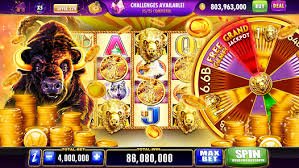
With the kf33 app installed on your phone, you have access to slots, bingo, fish games, sports betting, and much more — anytime, anywhere, without needing to open a browser.
Why use the app
The mobile version of kf33 was built with the Brazilian user in mind — always connected through their phone. Whether on a work break, relaxing at home on the couch, or waiting for the subway, having the app installed means the fun is always just two taps away.
The difference between playing through a regular browser and using the dedicated app is felt in practice. The app loads faster, uses less mobile data, and keeps your session active without needing to log in every time. The interface was redesigned specifically for smaller screens, with larger buttons, intuitive menus, and smoother transitions.
Another feature KF33 players value highly is the ability to receive real-time notifications. When an exclusive mobile promotion launches, when your winnings are processed, or when a tournament begins, you get notified instantly — no need to keep checking the site manually.
The platform supports 4G, 5G, and Wi-Fi connections with no noticeable difference in performance. Slot games, bingo, and fish games run smoothly even on mid-range phones, without freezing or overheating the device excessively.
To save data, the KF33 app lets you adjust graphics quality in the settings. On slower 4G connections, reducing quality to "Medium" keeps gameplay smooth without compromising the experience.

Every element on the screen was designed for fingers, not a mouse. Navigation menus sit at the bottom of the screen, bets are confirmed with a single tap, and your transaction history is just a swipe away. A native experience, not a desktop adaptation.
Supported Platforms
KF33 works on both operating systems most used in Brazil. See how to download and install on each one.
Direct APK file download, no Play Store required. Compatible with the vast majority of Android devices available in the Brazilian market.
On iOS, KF33 works perfectly through the Safari browser with the optimized mobile version. Add the shortcut to your home screen for one-tap access, just like a native app.
Step by Step
Installing the KF33 APK on Android is simple and takes less than two minutes. Follow the steps below:
Open your Android browser and go to kf33.vu. In the app banner or menu, tap the APK download button.
Android will request permission to install files from outside the Play Store. Go to Settings › Security › Install unknown apps and enable it for your browser.
The download takes just a few seconds on a normal 4G connection. The file is under 30MB, so it will use almost none of your data allowance.
After the download, tap the notification or locate the file in your Downloads folder. Confirm the installation and wait — the process is automatic.
The KF33 icon will appear on your home screen. Tap it, log in to your account or register for free in less than two minutes.
The KF33 APK is verified and safe. The "unknown source app" message is Android's standard warning for any app installed outside the Play Store — it does not indicate any risk. After installing, you can revoke the unknown sources permission in your settings.
For iPhone
On iPhone, the process is different but equally simple. You add KF33 to your home screen as a shortcut that works just like a native app:
Go to kf33.vu via Safari. Chrome on iOS does not support the add-to-home-screen feature in the same way, so use Safari for the best result.
In Safari's bottom bar, tap the share icon (square with an arrow pointing up). A menu will appear at the bottom of the screen.
Scroll through the menu until you find the "Add to Home Screen" option. Tap it, confirm the shortcut name, and press "Add" in the top right corner.
The KF33 icon appears on your home screen. Tapping it opens the site in full-screen mode, without an address bar, exactly like an installed app.
Exclusive Features
All platform features in the palm of your hand, with functionality designed for mobile.
Slots, bingo, Fish Games, Live Casino, and sports betting are all accessible through the app. No game is desktop-exclusive — the full catalog is available on mobile.
Request withdrawals directly through the app in seconds. With integrated Pix, the money lands in your bank account in up to 5 minutes, with no fees charged by KF33.
Receive instant alerts about exclusive mobile promotions, withdrawal confirmations, tournament starts, and account updates without needing to open the app.
Use fingerprint or facial recognition to access your account. More security, more convenience — no need to type your password every time you open the app.
In sports betting, follow scores, updated odds, and real-time statistics directly through the app. Place live bets with a single tap, with no delays.
The KF33 app comes with a dark theme enabled by default, ideal for playing at night without straining your eyes. The sleek black-and-gold interface blends style with visual comfort.
Interface, customer support, and all app instructions are in Brazilian English. No confusion from automatic translation or unfamiliar terms when it matters most.
Portuguese-language support chat is available 24 hours a day directly through the app. If you have a question about a game, withdrawal, or promotion, the team responds quickly.
The KF33 app alerts you when a new version is available. The update runs in the background without interrupting your gaming session. You always play on the latest version.
Mobile Performance
One thing that sets the kf33 app apart from many other gaming platforms is its lightweight design. The technical team worked specifically to ensure the app runs smoothly on mid-range devices — the kind that represent the majority of phones in use in Brazil today.
Models like Moto G, Samsung Galaxy A, Xiaomi Redmi, and similar devices can run all available games without noticeable lag. This was made possible through intelligent graphics compression and layered loading, which prioritizes what's on screen and handles the rest afterward.
The platform was also tested on 4G networks with average signal — a real condition for many players in smaller cities across Brazil. Slot and bingo games consume between 2MB and 5MB per 15-minute session, which is well below the market average.
For players who enjoy Fish Games — one of KF33's most popular titles — the app delivers smooth animations and fast haptic response, which is essential for the shooting mechanic. On desktop the experience works well, but on mobile it feels even more natural and fun.
Games load in under 3 seconds on stable 4G.
Optimized to avoid draining your battery during long sessions.
No Wi-Fi needed for a great experience.
Less than 30MB installed — doesn't take up device memory.
Comparison
| Feature | Kf33 App (Mobile) | Desktop Browser |
|---|---|---|
| Loading speed | Very fast (local cache) | Fast |
| Push notifications | Yes | No |
| Biometric Login | Yes | No |
| Available games | Full catalog | Full catalog |
| Pix Withdrawal | Yes | Yes |
| Data usage | Very low | Moderate |
| Exclusive promotions | Yes (mobile only) | Not all |
| Offline access (demo mode) | Some games | No |
Frequently Asked Questions
Get Started Now
Create your account for free, install the app on your Android or add the shortcut on your iPhone, and start exploring slots, bingo, fish games, and sports betting with total convenience.